 1000x920 copy [PNG].png)
MIMS Password Reset
P3–P6 students can submit a request at the school library. P1–P2 parents can reset via online form below.
MIMS PASSWORD RESET
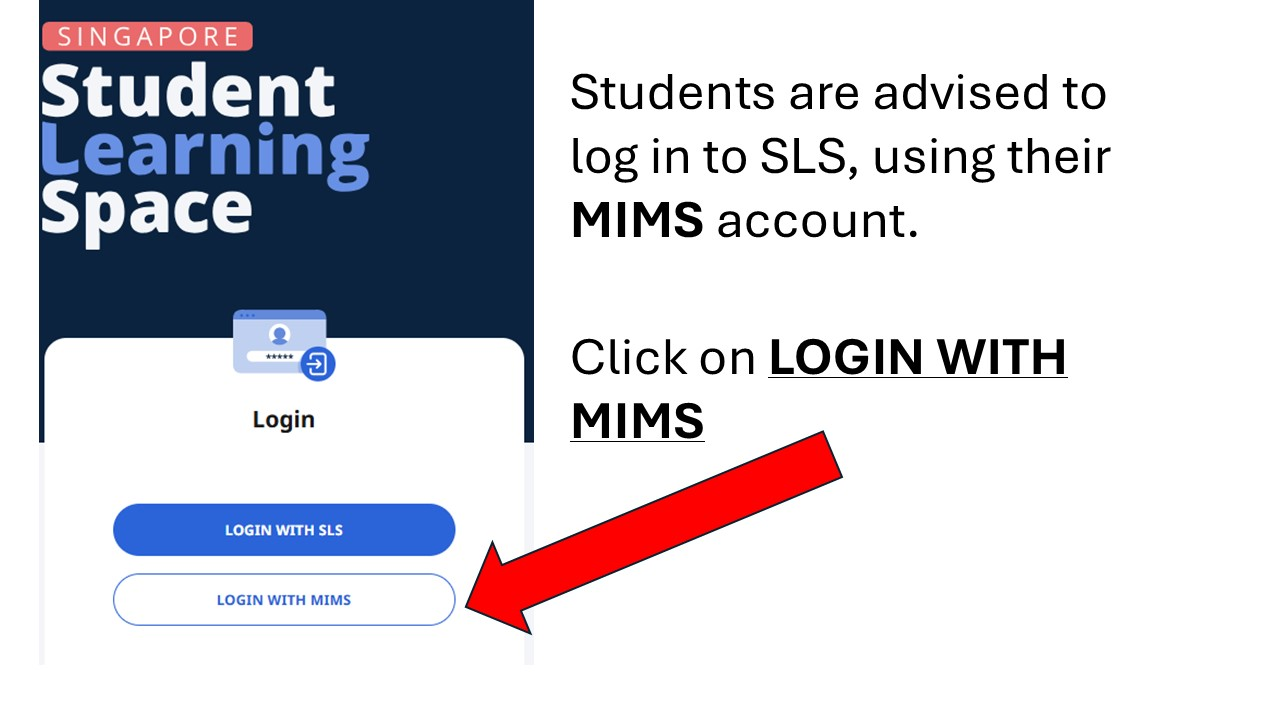
Log in to SLS, using the LOGIN WITH MIMS option. Don't use the LOGIN WITH SLS option.
Primary 1 and 2 - Parents to reset here via school website
Primary 3, 4, 5 and 6 - Students are to go to the school library to reset
Primary 1 and 2 students, can get parents to reset via this link.
Primary 3,4,5 and 6 students, are to go to the library, to fill out the form at the self service kiosk. Once they have filled out their name, class and MIMS username, they are to look out for their names at the lift lobby TV to see if their account has been reset. (Takes 1-2 days)
If your MIMS account is locked, you will need to reset it. Account gets locked when you type in the wrong password multiple times.
Only e-mail the ICT Associate, Mr Iskandar, if you have already requested a reset, but you have problems logging in. Please include a video of the log in attempt from start to finish.
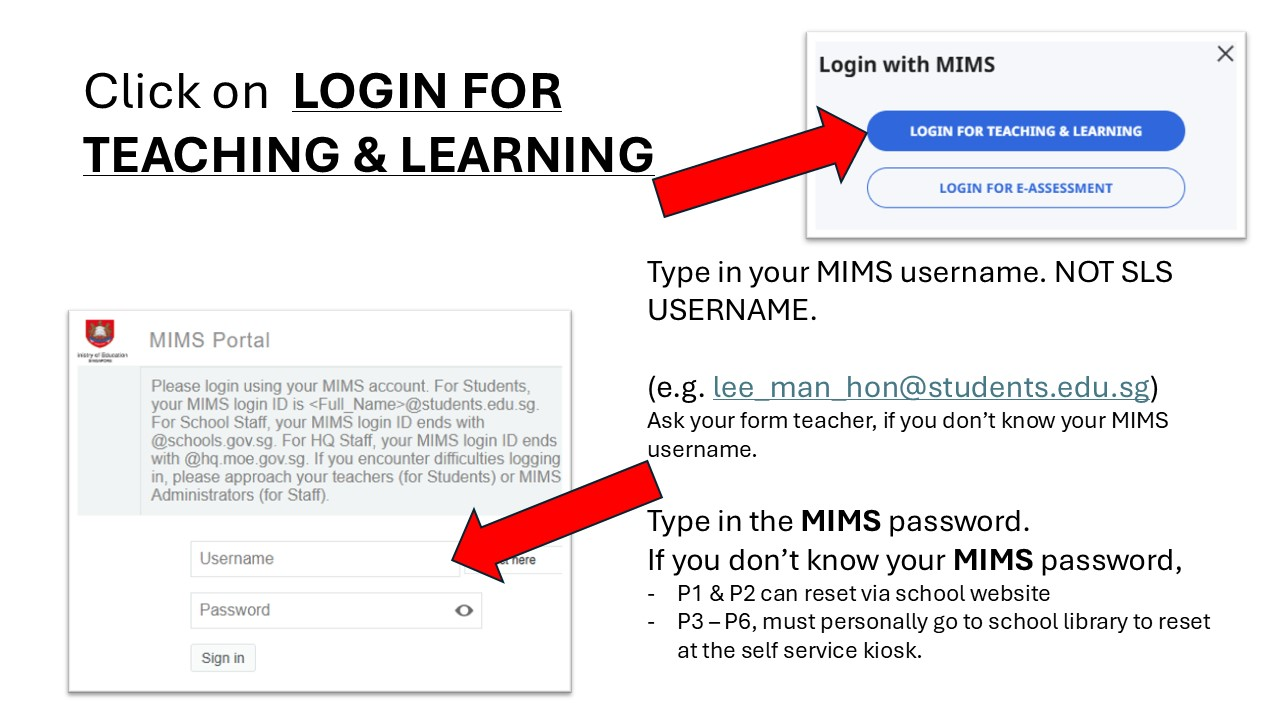
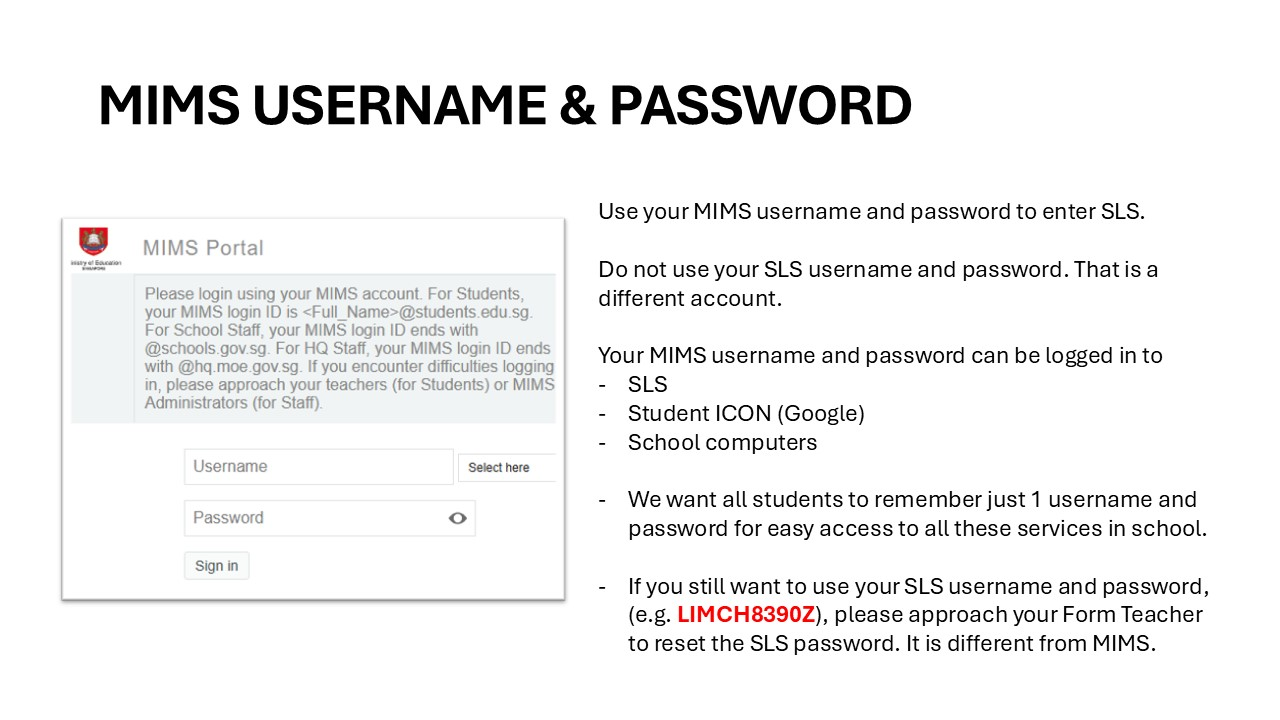
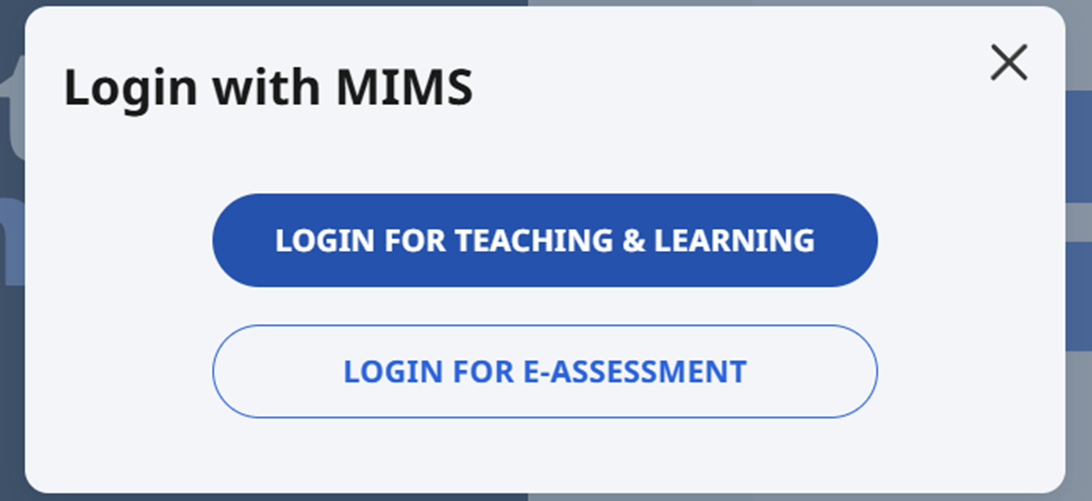
HOW TO LOG IN TO SLS, USING MIMS?
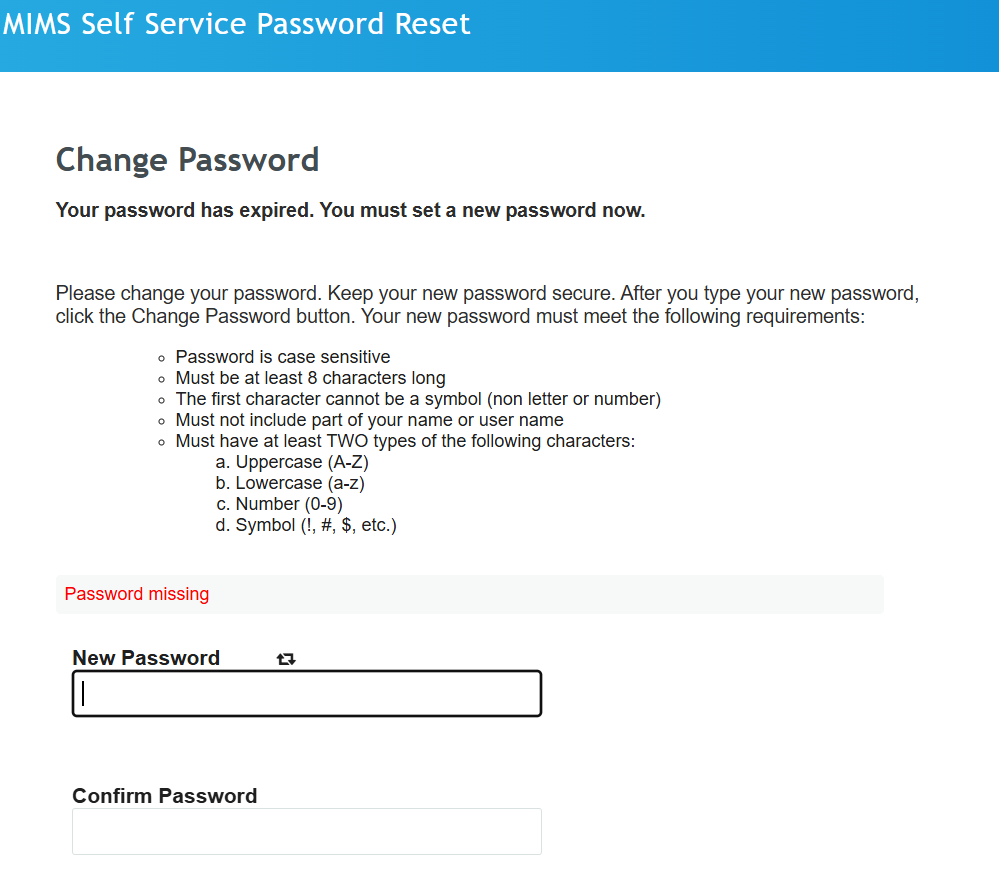
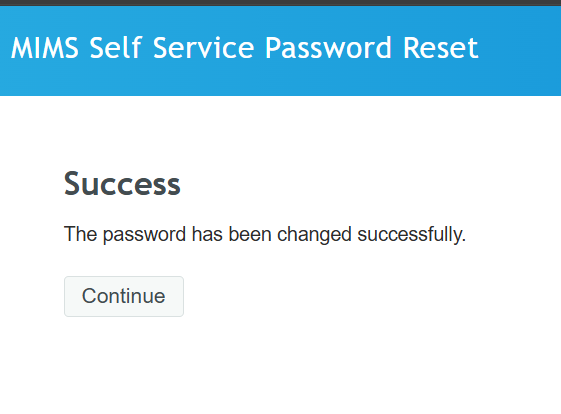
WHAT TO DO AFTER PASSWORD HAS BEEN RESET?
UNABLE TO LOG IN DUE TO ERROR
If you are unable to log in due to an error, please send an e-mail to Mr Iskandar (ICT Associate) at iskandar_hamid@moe.edu.sg together with the student's full name, username and class.
You need to include a video of your log in attempt as I will need to see if the username and password was keyed in correctly.